Their phone goes with them. So does every text about every transaction they closed under your license.

FOR BROKERAGES, TEAMS & DESIGNATED BROKERS · PATENT PENDING
When a complaint lands, the conversation that would settle it is on someone else's phone.
Your agents run their transactions by text, call and voicemail from their own devices. You carry the supervisory obligation, the retention requirement and the E&O deductible—but not the records. CommLocker™ gives each transaction's communications a File the brokerage can actually produce.
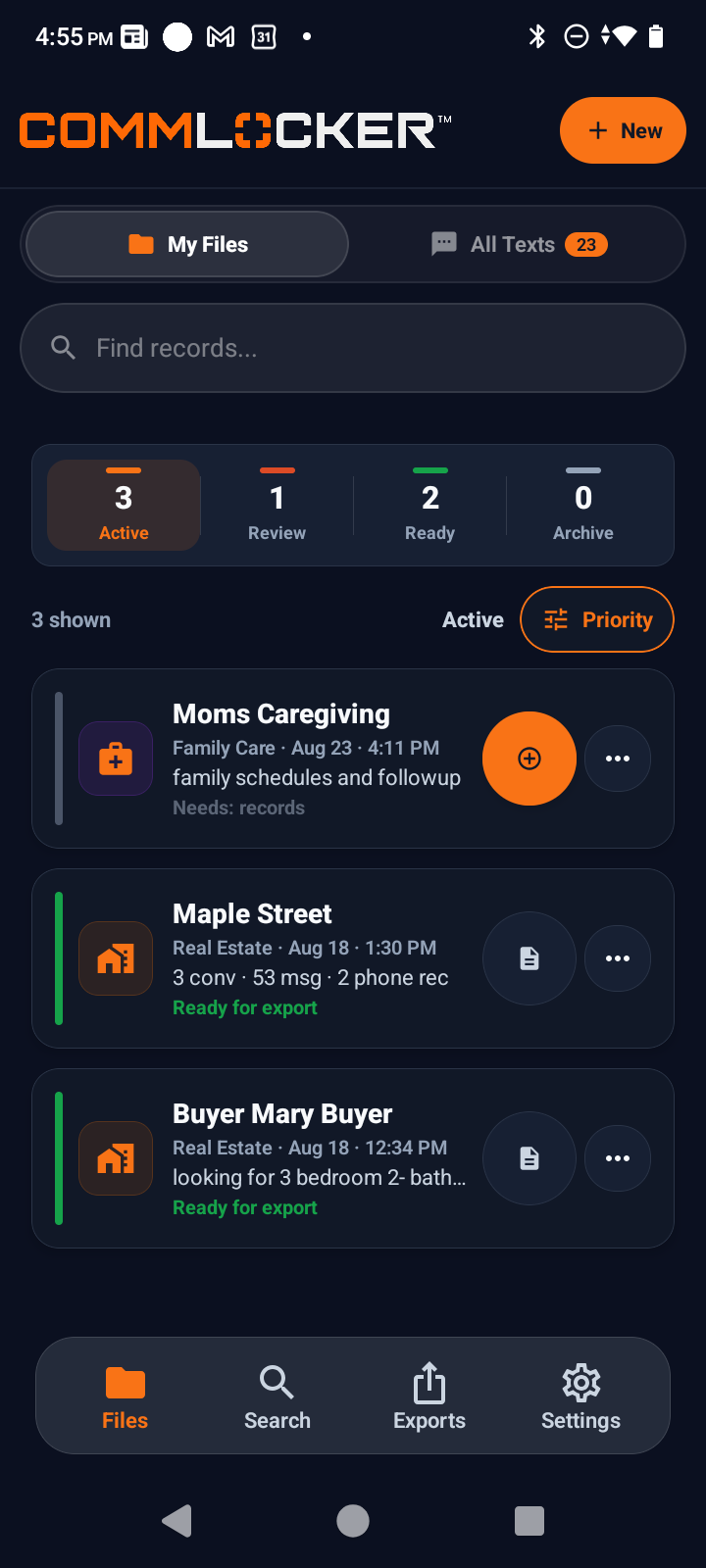
Actual CommLocker™ app screen shown with fictional sample data. No real client, person, or transaction is shown.
PRIVATE BY DESIGN
There is no server-held copy. Nothing for us to search, breach, or hand over.
CommLocker™ does not listen to or record phone calls, track conversations the user does not select, or keep conversation content on CommLocker servers. Personal conversations that are never selected remain outside CommLocker. Because there is no server-held copy of the conversation content, CommLocker has no copy to search, retrieve, or provide later.
- The user chooses what enters each File
- No listening to or recording phone calls
- No tracking of unselected conversations
- No bulk upload of personal conversation history
- Selected content stays on the device until export
- Once a record is exported, it lives wherever the user sends it—the brokerage controls it from that point, not CommLocker
THE RECORDS ARE NOT WHERE THE LIABILITY IS
The obligation is yours. The phone belongs to the agent.
California requires a broker to retain transaction records for three years. A designated broker is responsible for supervising the agents under their license. But the conversations that decide most disputes—what was disclosed, what was agreed, when it was said—happen on personal devices you do not control and cannot access.
The message that would resolve it in one screenshot is on a device that is no longer in your office.
“Do you have the communication record?” is a question with only two answers, and one of them is expensive.
CommLocker™ does not change how your agents work. It gives the conversations they already have a File the transaction can keep.
WHY ANOTHER TOOL?
Your CRM manages the relationship. CommLocker™ preserves the record.
Most CRMs capture communications made through an assigned or connected platform number. A few, including Cloze, can also bulk-sync calls and texts from a personal device. CommLocker™ serves a different purpose: the agent chooses only the conversations that belong in each File. CommLocker™ does not bulk-upload or store the user’s conversation content on CommLocker servers; the selected content remains on the device until the user exports it.
| Capability | Lofty | HighLevel | BoldTrail | KW Command | Cloze | CommLocker™ |
|---|---|---|---|---|---|---|
| CRM, leads and follow-up | ✓ | ✓ | ✓ | ✓ | ✓ | — |
| Texts sent and received through a platform-assigned or connected number | ✓ | ✓ | ✓ | ✓ | ✓ | — |
| Automatically bulk-syncs native personal-device calls and texts | — | — | — | — | ✓ | — |
| User chooses transaction conversations already on the agent’s device | — | — | — | — | — | ✓ |
| Keeps selected conversation content on the device instead of a company server | — | — | — | — | — | ✓ |
| Organizes selected communications by transaction/File | — | — | — | — | — | ✓ |
| View communication history by date or party | — | — | — | — | ✓ | ✓ |
| Attachments contained in selected texts or emails carried into the record | — | — | — | — | Partial | ✓ |
| Tamper-evident PDF plus related ZIP archive | — | — | — | — | — | ✓ |
Partial for Cloze attachments: email attachments and connected transaction documents can be filed, but Cloze’s published iPhone sync documentation says photos and attachments exchanged in texts are not synced. This compares publicly described products—not every configuration, number-porting arrangement, integration or future feature. Official sources reviewed August 28, 2026: Lofty · HighLevel · BoldTrail · KW Command · Cloze. No affiliation or integration is represented.
ONE FILE FOR THE LISTING
Start the File before the phone starts ringing.
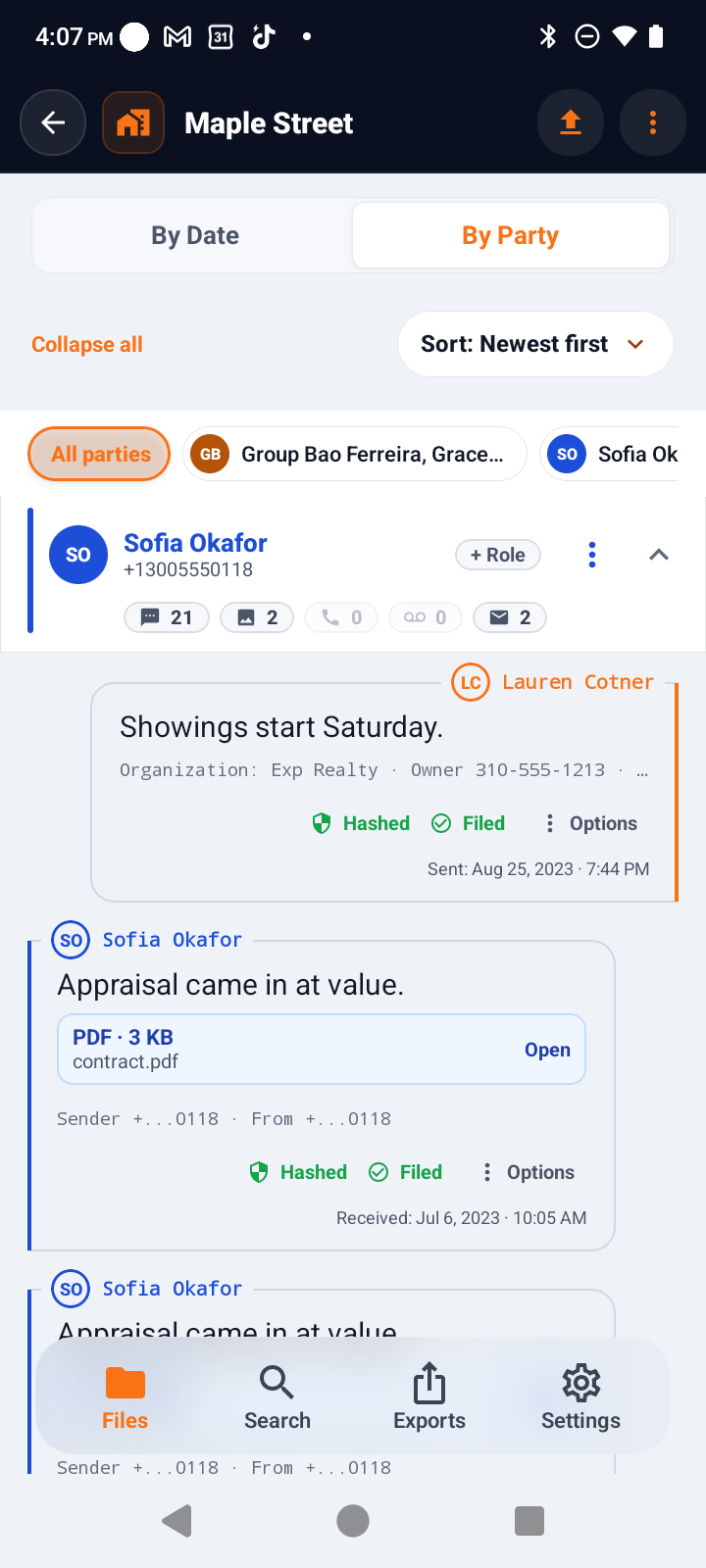
As the listing moves forward, choose the conversations that belong to it. CommLocker™ organizes the filed communication by date or by party, so the story of the transaction is not scattered across a phone.
SellerCooperating agentInspectorEscrowTitleProspective buyersVendors
This is the everyday problem: You may not be able to stop and write down every detail when a call comes in. A missed call may become a voicemail. A follow-up may arrive by text. The same issue may continue by email. CommLocker™ gives those related conversations a transaction File instead of leaving you to reconstruct the day from memory.
Create the File
Open a File for the listing, buyer, lease or other matter before the communication starts piling up.
File as you work
Choose the texts, calls, voicemails and emails that belong to the transaction. You decide what goes in.
See the whole conversation
View the File by date or by party. Add notes to calls when context matters. Attachments already inside selected texts or emails remain with those communications.
Produce the record
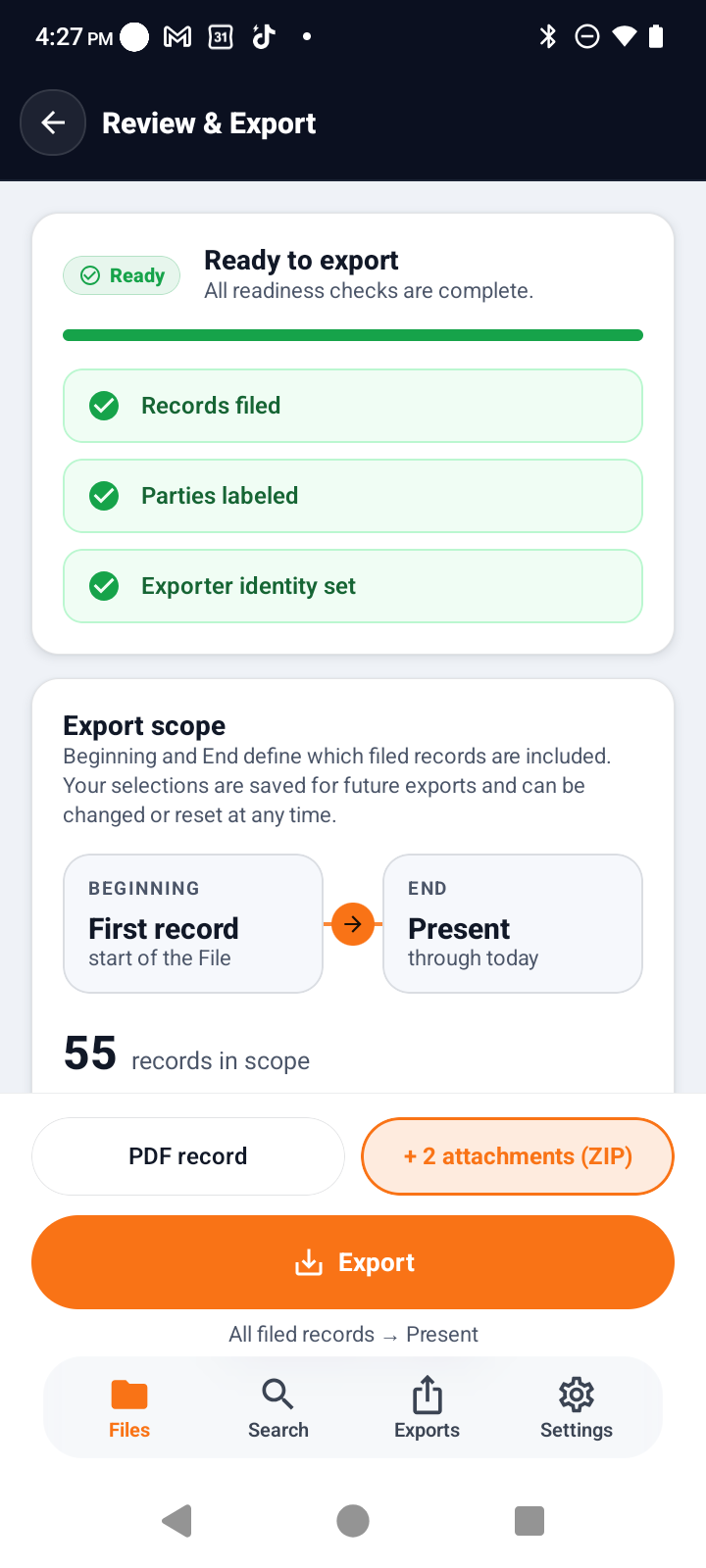
Export from the Beginning of Record or a later point you choose. The PDF presents the communication record, with contained attachments also separated in the related export package.
THE RECORD YOU PRODUCE
Choose the scope. Export the File.
Start at the Beginning of Record or a later point the user selects. CommLocker™ produces a readable PDF communication record. The related ZIP archive contains the attachments from the selected communications—including videos, pictures, documents, PDFs, audio, and other files—so they remain together with the record.
The user can export the whole File, organize it by party, or create the archive needed for retention.
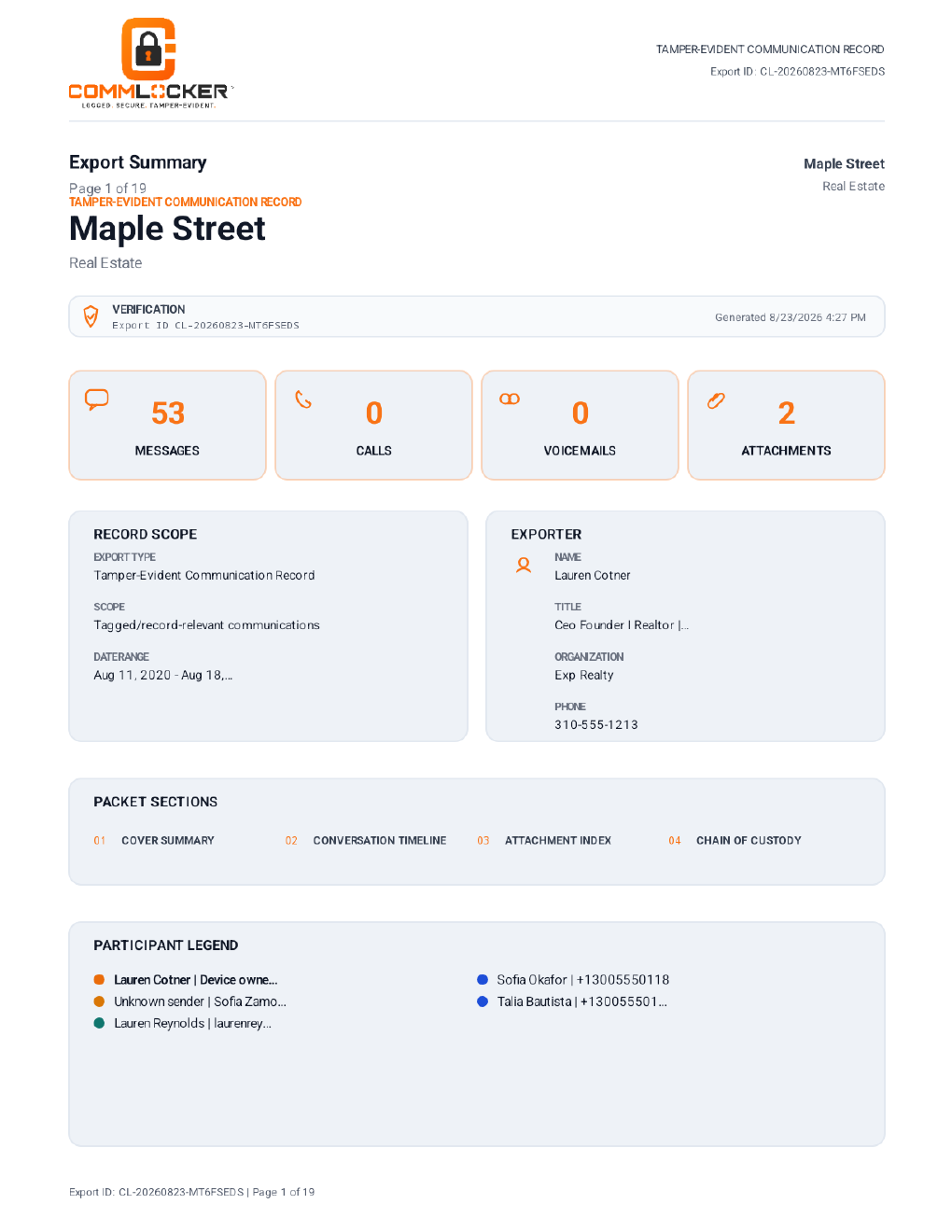
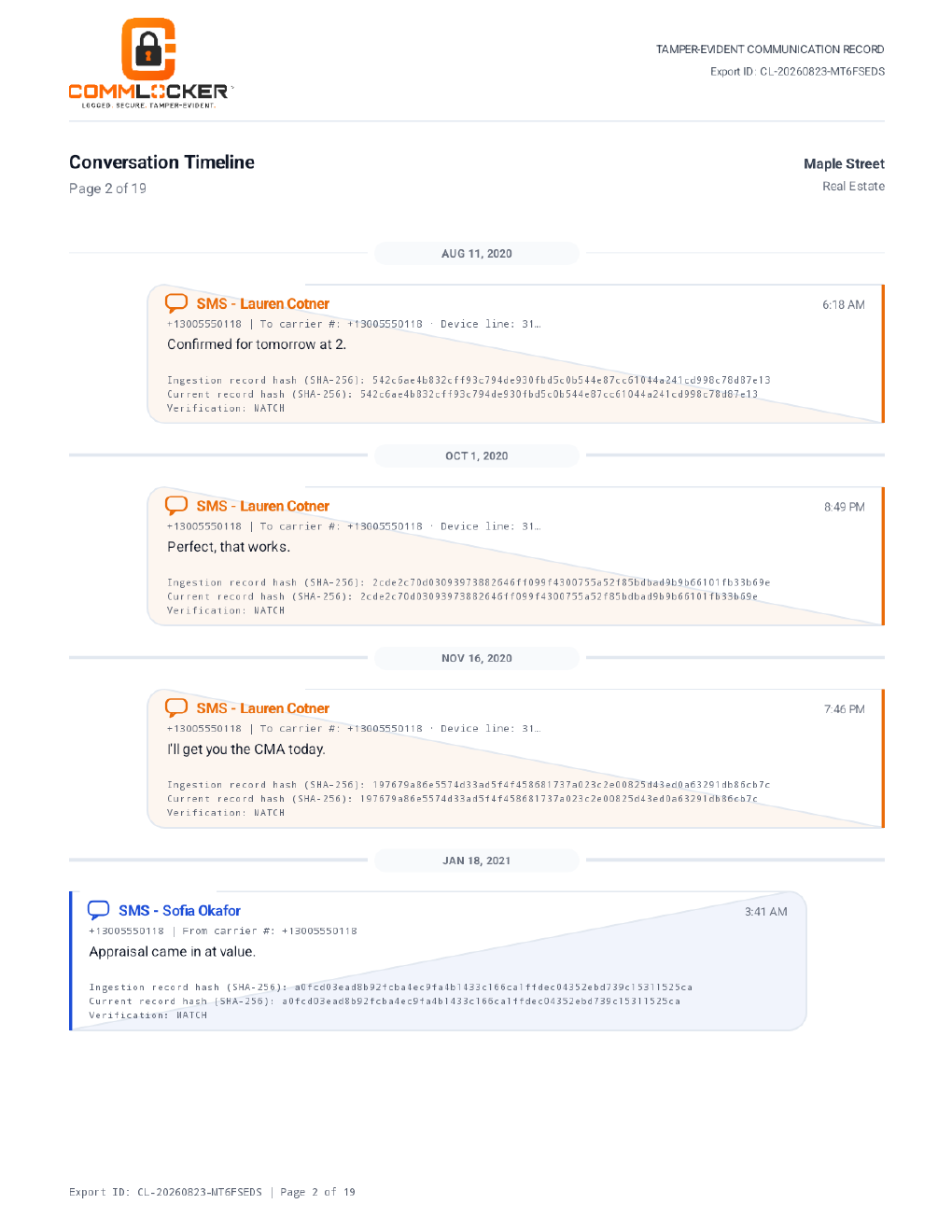
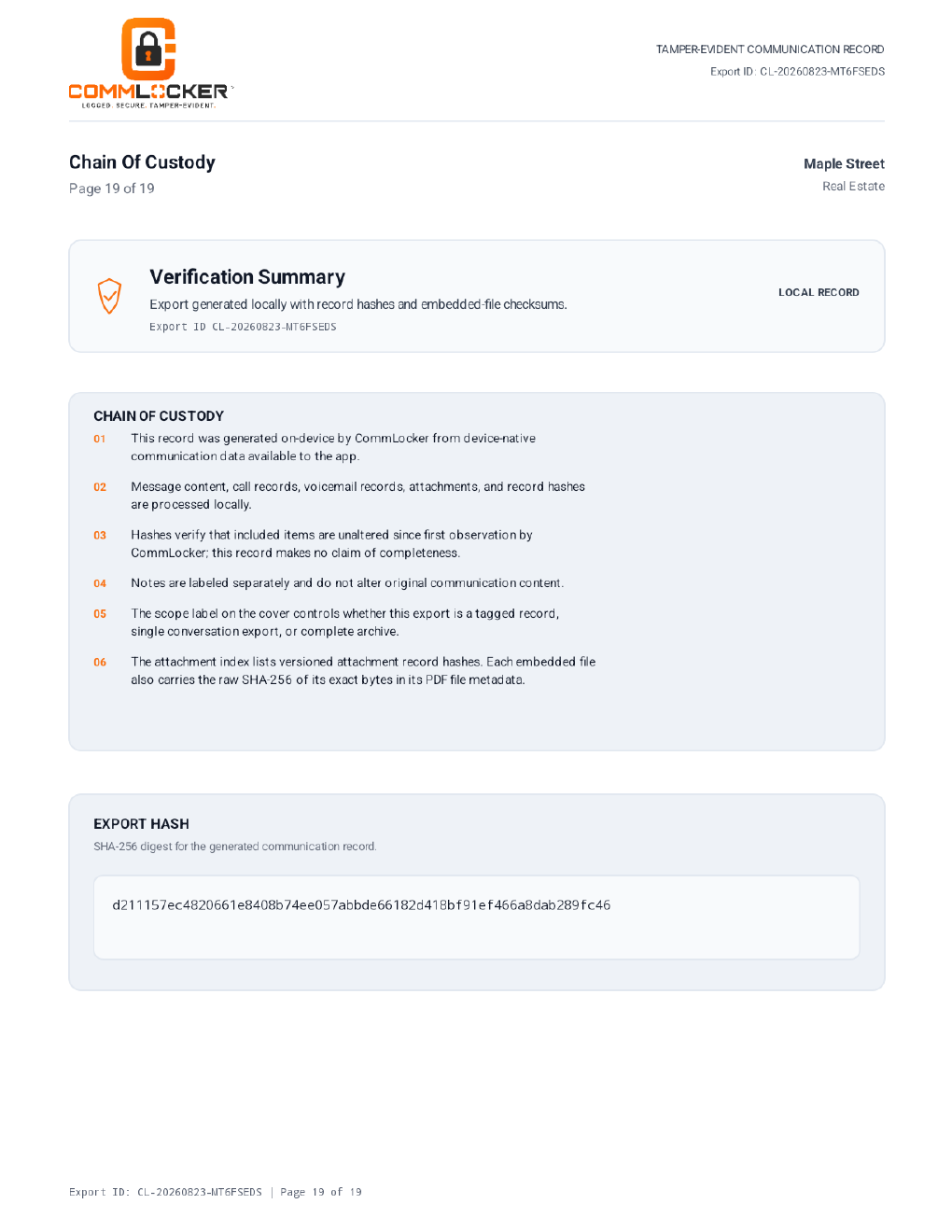
Sample pages are displayed here on the CommLocker™ site using fictional demonstration data. No real client, person, or transaction is shown.

INDEPENDENT CHECKING
Meet CommChecker.
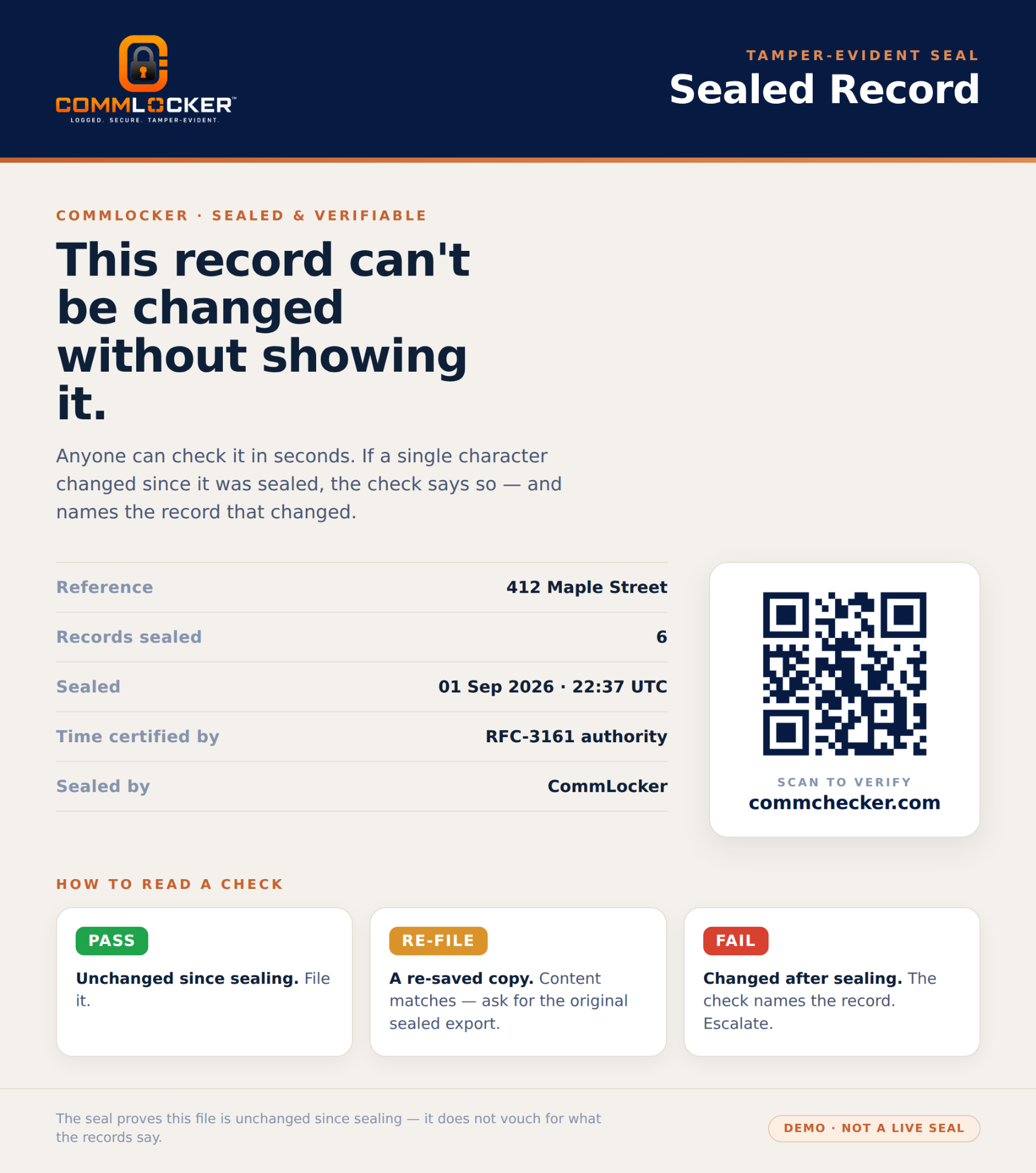
CommLocker™ seals the record. CommChecker re-checks it—independently, by anyone who receives it. Drop the exported PDF in and it reports whether the file has been altered since the day it was sealed.
The person who needs to check a record is rarely the person who made it. It is the broker reviewing a file, the attorney receiving production, the carrier evaluating a claim. CommChecker is built for them.
Nothing is stored. The check runs and the file is discarded.

BUILT FROM EXPERIENCE—NOT THEORY
“I built the tool I needed in the middle of a real transaction.”
After 28 years in real estate, Lauren Cotner knew the problem was bigger than finding one missing text. Every transaction creates a moving web of conversations among clients, agents, inspectors, escrow, title and everyone else working toward the close. CommLocker™ began with a simple idea: give those conversations a place to belong while the transaction is still happening.
Lauren Cotner
Founder & CEO, CommLocker™
WHERE WE ARE
Android beta now. Brokerage pilots forming.
CommLocker™ is in closed beta with a limited Android group. The core workflow is working today: choose the conversations that belong to a transaction, organize them by File, and produce a tamper-evident record.
We are selecting a small number of brokerages to shape what the brokerage layer becomes—oversight, deployment, retention and reporting. Early partners get direct input into that build.
What is available today: Android, closed beta, invitation only.
What is being built: iPhone support, brokerage oversight and deployment tools.
What is product direction, not a current claim: everything described as planned.
BROKERAGE CONVERSATION
Bring your hardest workflow question.
Enterprise needs vary by team size, deployment, retention practices and support. We are not posting a one-size-fits-all price.